Create Loading Animation Using Pure CSS

Welcome to the codewithrandom blog. In this blog, we learn how to create Loading Animation. We use HTML and CSS for this Loading Animation.
I hope you enjoy our blog so let’s start with a basic Html Structure for Loading Animation.
HTML Code For Loading Animation
<section>
<div class="container">
<h1>CODEWITHRANDOM...</h1>
</div>
</section>
There is all the Html Code for Loading Animation. Now you can see output without Css. then we write Css Code for our Loading Animation.
50+ HTML, CSS & JavaScript Projects With Source Code

CSS Code For Loading Animation
* {
padding: 0;
margin: 0;
box-sizing: border-box;
}
body {
font-family: "Montserrat";
}
section {
min-height: 100vh;
width: 100%;
display: flex;
align-items: center;
justify-content: center;
background-color: aliceblue;
}
.container {
padding: 20px 40px;
border: 2px solid black;
letter-spacing: 10px;
position: relative;
text-transform: uppercase;
font-size: 24px;
}
.container::after {
content: "";
position: absolute;
height: 100%;
width: 0%;
left: 0;
top: 0;
background-color: rgb(255, 255, 255);
mix-blend-mode: difference;
animation: loader_bg 3s linear infinite alternate;
}
@keyframes loader_bg {
0% {
width: 0;
}
100% {
width: 100%;
}
}
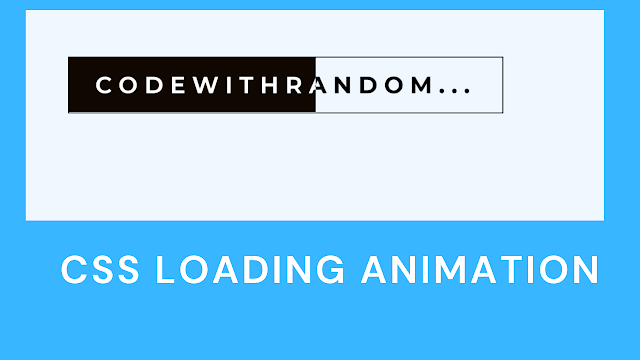
Now we complete our Loading Animation Project. Here is our updated output with HTML+ CSS.
Create a Music Player using HTML,CSS & JavaScript
Live Preview Of Loading Animation Using Pure CSS

Calendar Using HTML ,CSS, & JavaScript
In this post, we learn how to create Create Loading Animation Using Pure CSS. If we did a mistake or any confusion please drop a comment so give a reply or help you in easy learning.